
1. Log into your Shopify admin account.
2. Find the product you are looking to update. You can do this by:
- Searching for the product name or item number in the search bar at the top of the page.
- Clicking "Products" on the sidebar of the admin panel and finding the product in the list.
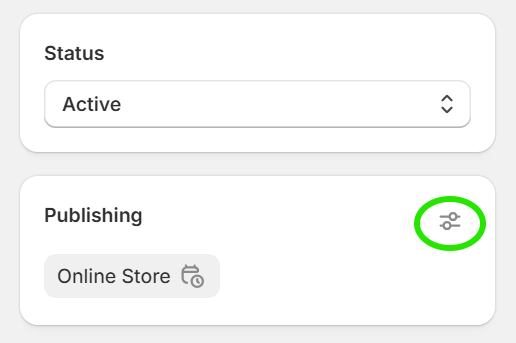
3. Once you navigate to the admin product page for the product you would like to update, click the "Filters" icon on the "Publishing" section on the right-hand side.
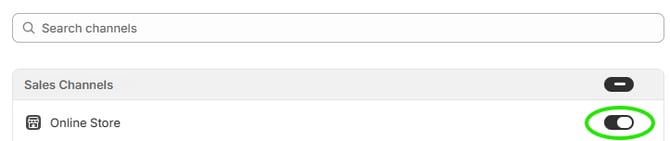
4. Toggle on the button in the "Online Store" section.
5. Click "Done" at the bottom.
6. "Online Store" should appear in the "Publishing" section, meaning that the item is now listed in your store as long as the status is set to "Active" in the section right above it.