
UPS requires a phone number to be included on all shipping labels to resolve any delivery issues that may arise. At this time, the phone number displayed on the label is the Standard Process account holder's phone number. However, the correct number to display should be the customer's phone number.
Follow these instructions to make the change
1. Log into your Shopify account as an administrator
2. Click on the "Settings" tab on the bottom left of the screen
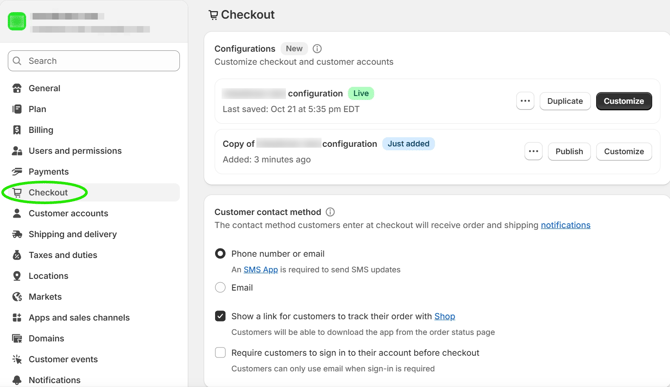
3. Click "Checkout"
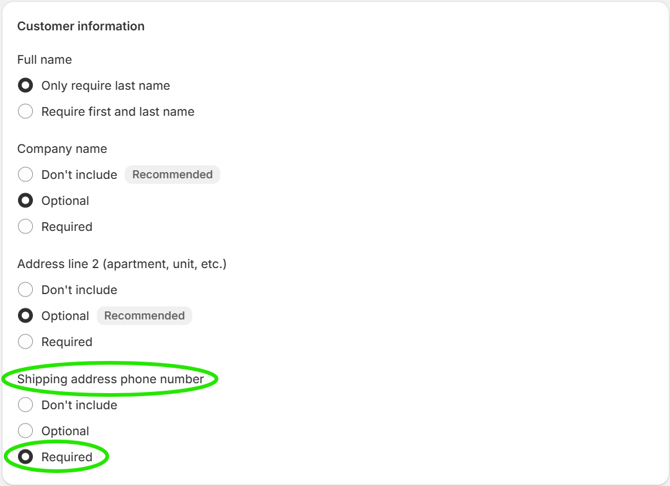
4. Scroll down to the "Shipping address phone number" section and set to "Required"
5. Click "Save" at the top of the screen